Model Detail Page
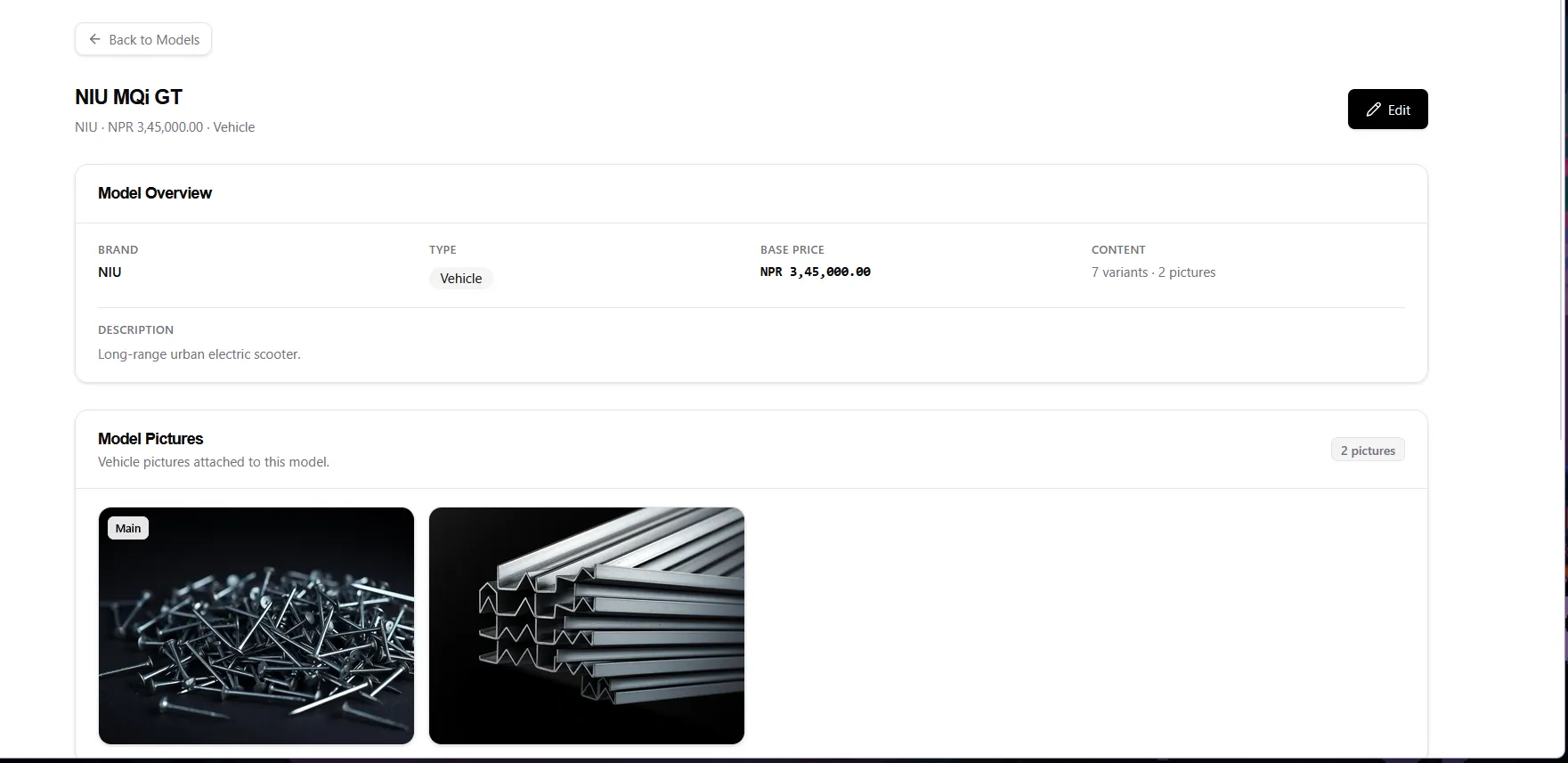
Open it by clicking a model name in the Models list. Use the Back to Models chip to return.
Overview (read-only) + Edit
Section titled “Overview (read-only) + Edit”- The Model Overview card shows Brand, Type, Base Price, variant/picture counts, and the full Description. It cannot be edited in place.
- Click Edit (top-right, requires
models.update) to open the same dialog as the Models list. Saving refreshes the page.
Model Pictures
Section titled “Model Pictures”- Pictures appear in a tidy grid (first = Main).
- Hover a picture to reveal the View (eye) button; click it for a full-size preview, close with ×, Esc, or the backdrop.
- There is no upload or delete here — add pictures through the Edit dialog’s gallery.
Variants & Compatibility
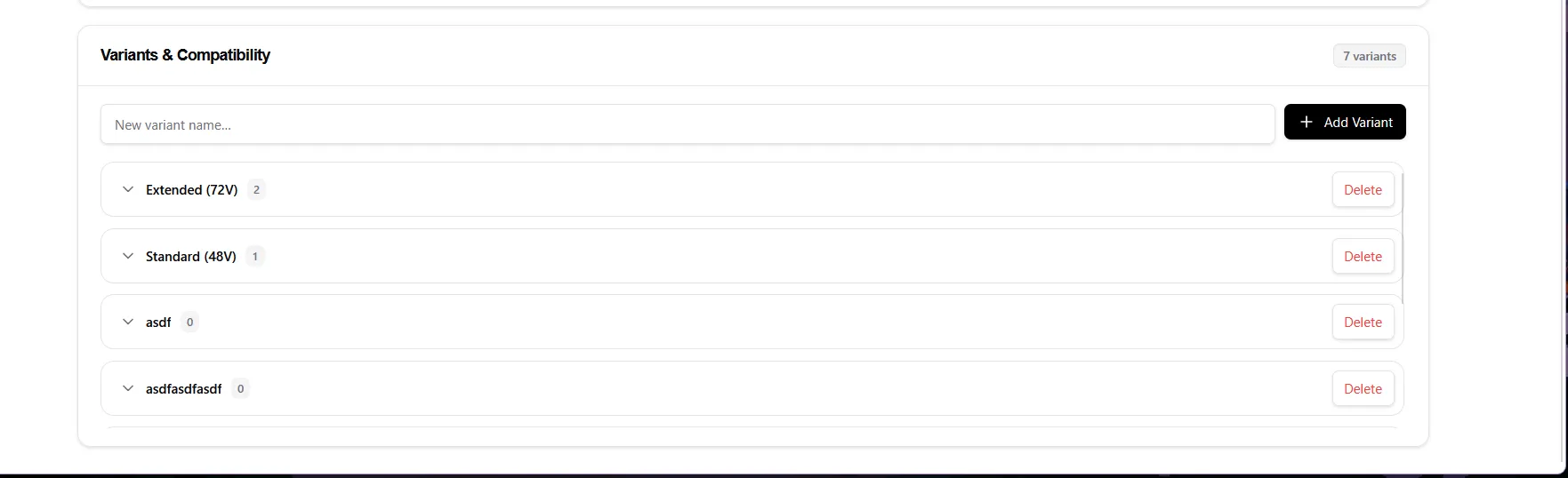
Section titled “Variants & Compatibility”- The card header shows the variant count.
- Add new variants with the new variant name box + Add Variant (requires
variants.create). - The variant list is scrollable — about 4 variants are visible; scroll for more.
- Each variant row shows its name, a count of compatibility entries, and Delete (requires
variants.delete). - Click a variant row to expand it and reveal its compatibility entries (e.g.
Lithium · 2.5 KW); click again to collapse. Full entry management lives on the Compatibility page. - Each entry chip has a × to remove that entry (requires
compatibilities.delete).