Roles
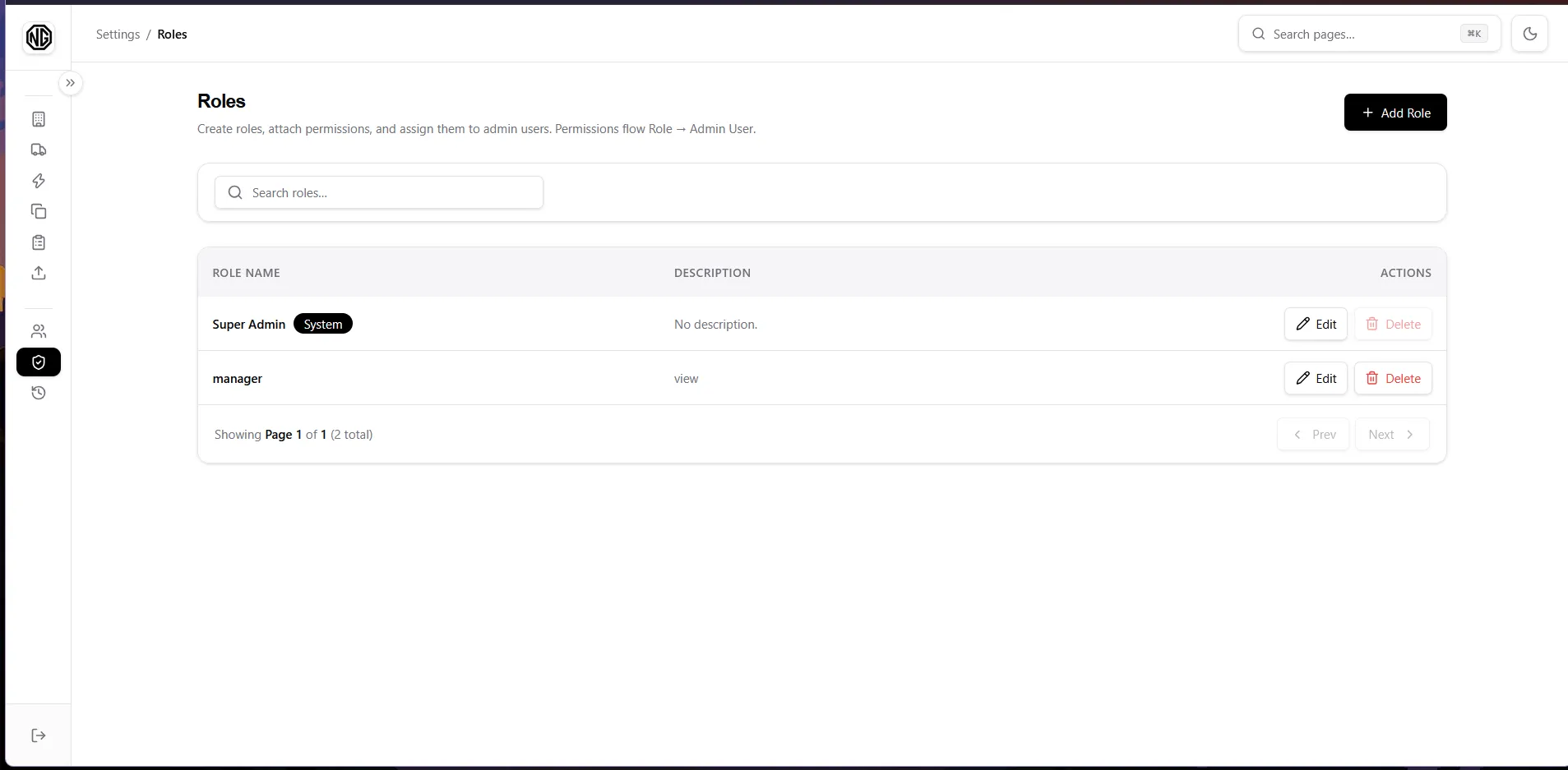
Simple table of Role Name and Description. The Super Admin row carries a System badge and cannot be deleted.
Permissions: roles.view to see the page, roles.create / update / delete for the actions.
Create / Edit a role
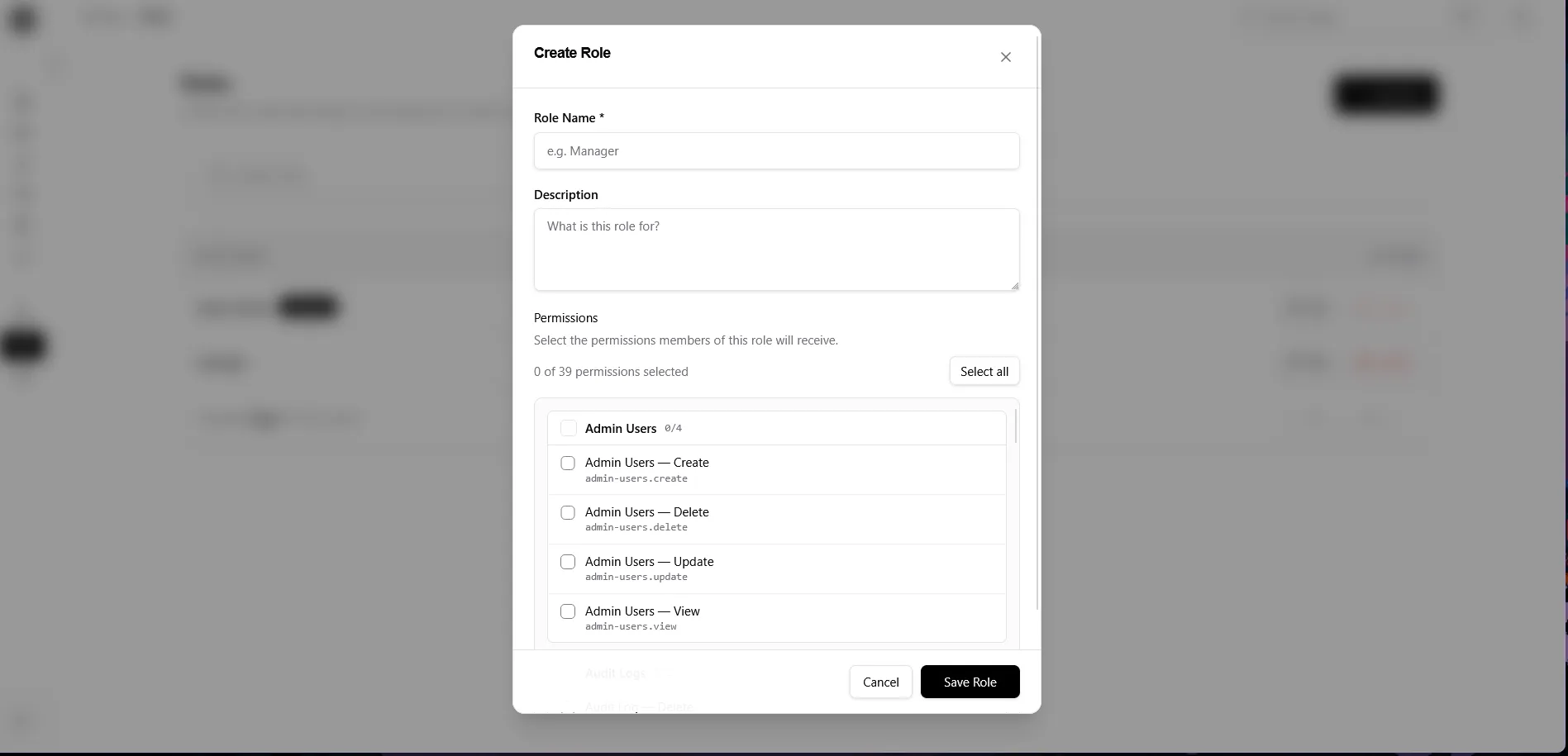
Section titled “Create / Edit a role”The dialog is identical for both:
- Role Name * and Description.
- Permissions picker — tick what members of this role may do:
- Permissions are grouped by module with per-group counts (
3/8). - Click a group header to toggle the whole group; Select all / Clear all does everything at once.
- The live counter reads
N of M permissions selected.
- Permissions are grouped by module with per-group counts (
- Save Role.
Delete a role
Section titled “Delete a role”Row → Delete → confirm. Members keep their accounts but lose that role’s permissions. Super Admin cannot be deleted (button disabled with an explanation).